May 6, 2026
We always built Outlign with a minimal design in mind to make it feel as much like it was “your” product as it was ours, while also making it feel premium for your clients. We have areas to add your own custom imagery and icons to make your team and clients feel right at home.
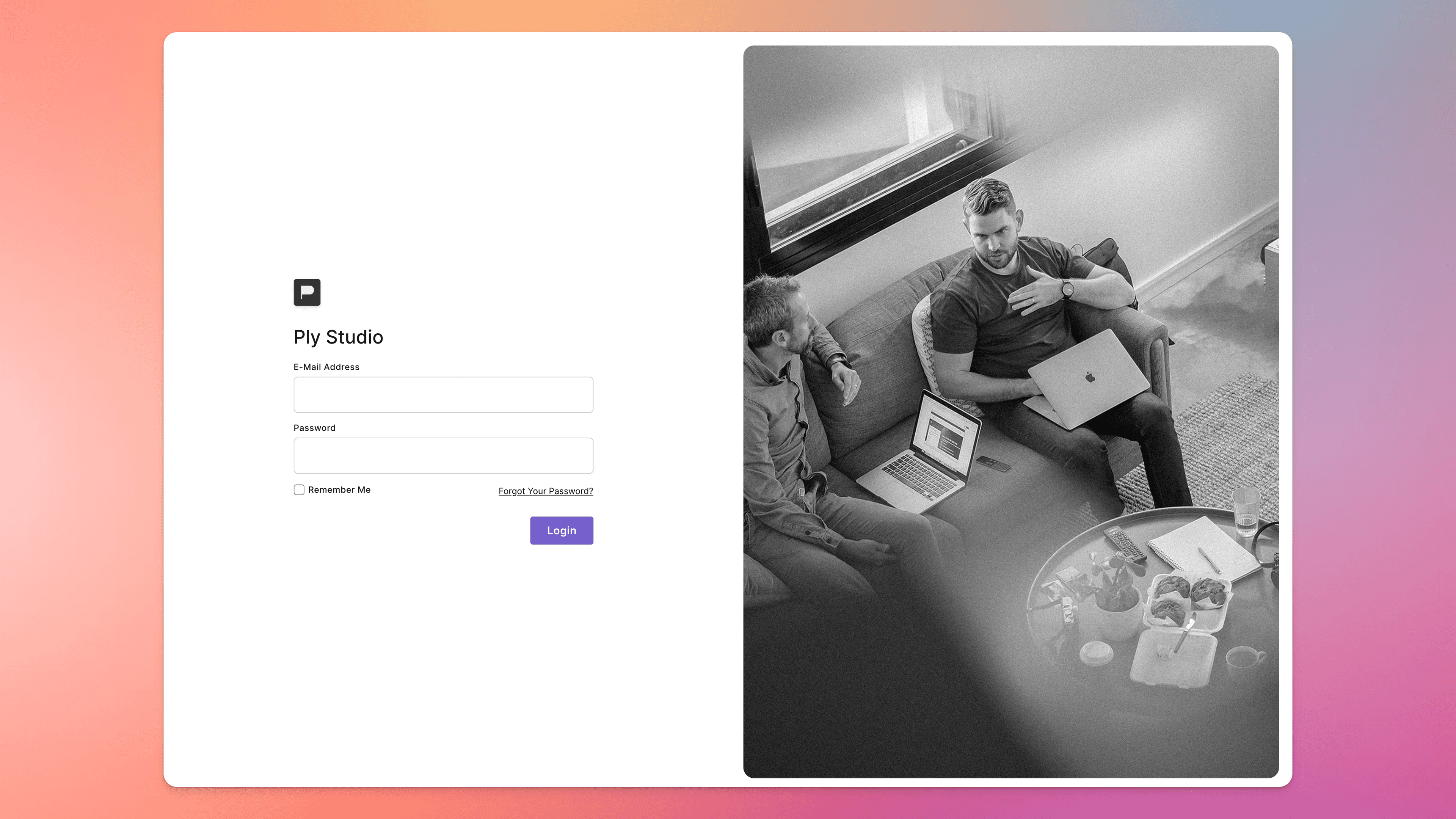
Now for agencies who value an even more custom experience, we’ve enabled an optional add-on for white labelling your Outlign account.
When you purchase the white label add on for your account, you get access to the following:
A custom domain (example: projects.youragency.com)
A login page featuring your logo and optional custom hero image
Email notifications that show your company name and logo and remove Outlign branding
Invite links and registration forms for new users will show your name and logo as well
Which will mean your team and your clients get the full Outlign experience without ever really seeing the Outlign branding.
White Labelling is $10 USD per month, per agency.
This appears as a separate line item on your billing statement and operates on its own billing cycle based on when you purchase the add on.
Just to be crystal clear, it is not charged per team member or per seat. It’s one flat monthly fee that covers your entire agency workspace.
We keep this as an optional add-on rather than including it in the standard plan, as not every agency needs custom domains or branded client experiences. This helps keep core Outlign pricing lean for everyone, while giving agencies who want that extra layer of polish the option to switch it on.
You can also cancel White Labelling at any time in the future without affecting your normal Outlign seat subscription.
To get started with White Labelling, you’ll need to be on a paid Outlign account to set this up as it’s not available during the free trial period.
When you’re ready, just:
Head to your Company Settings page
Click the option to purchase the add-on and complete the checkout
You’ll then see instructions to set up your custom domain
You’ll also see the option to upload your login page hero image if you want to enable this too… your logo will just be taken from your existing company avatar
We’ve been using this in our own agency and loving the experience so we think you and your clients will as well.
For more info on how it all works and getting started, check out the help article here
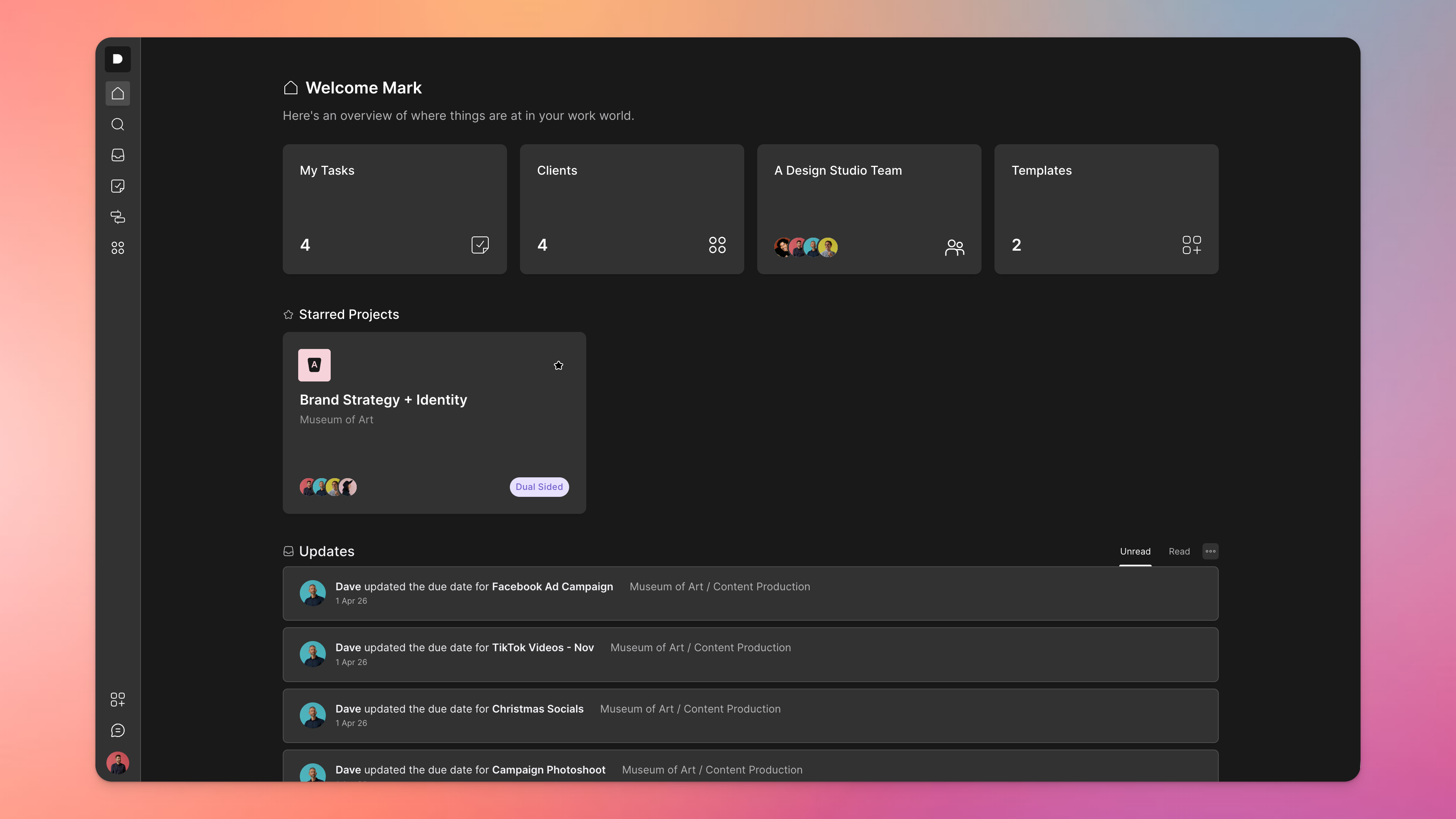
Another one of those things you don’t realise how much you missed until you get your hands on it - at least I didn’t… Outlign now has Dark Mode support.
As a typical light mode guy I have been surprised how much time I am now spending in dark mode when I’m working every day inside Outlign. Sometimes it’s the simple things I guess.
To enable dark mode, click your avatar in the bottom left and choose from System (switches when your OS does), light or dark mode.
As always we’ve also been chipping away at other smaller improvements and bug fixes to help your projects and your day-to-day run smoother.
Recently we’ve shipped:
Some general performance improvements across the board to make Outlign feel snappier and smoother to use
Tables and Toggle sections to our content editor for even richer messages
A better editing experience in Documents where you can select and move multiple rows at once (coming soon to editing tasks)
A few other things you’ll notice along the way and always more to come…
We’re really excited about these updates and where things are heading for the next phase of Outlign, and we’re stoked to have you along for the ride as part of our creative community.