Changelogs
Stay up to date with the latest changes and enhancements.
Stay up to date with the latest changes and enhancements.

10. Sep 2026
Share
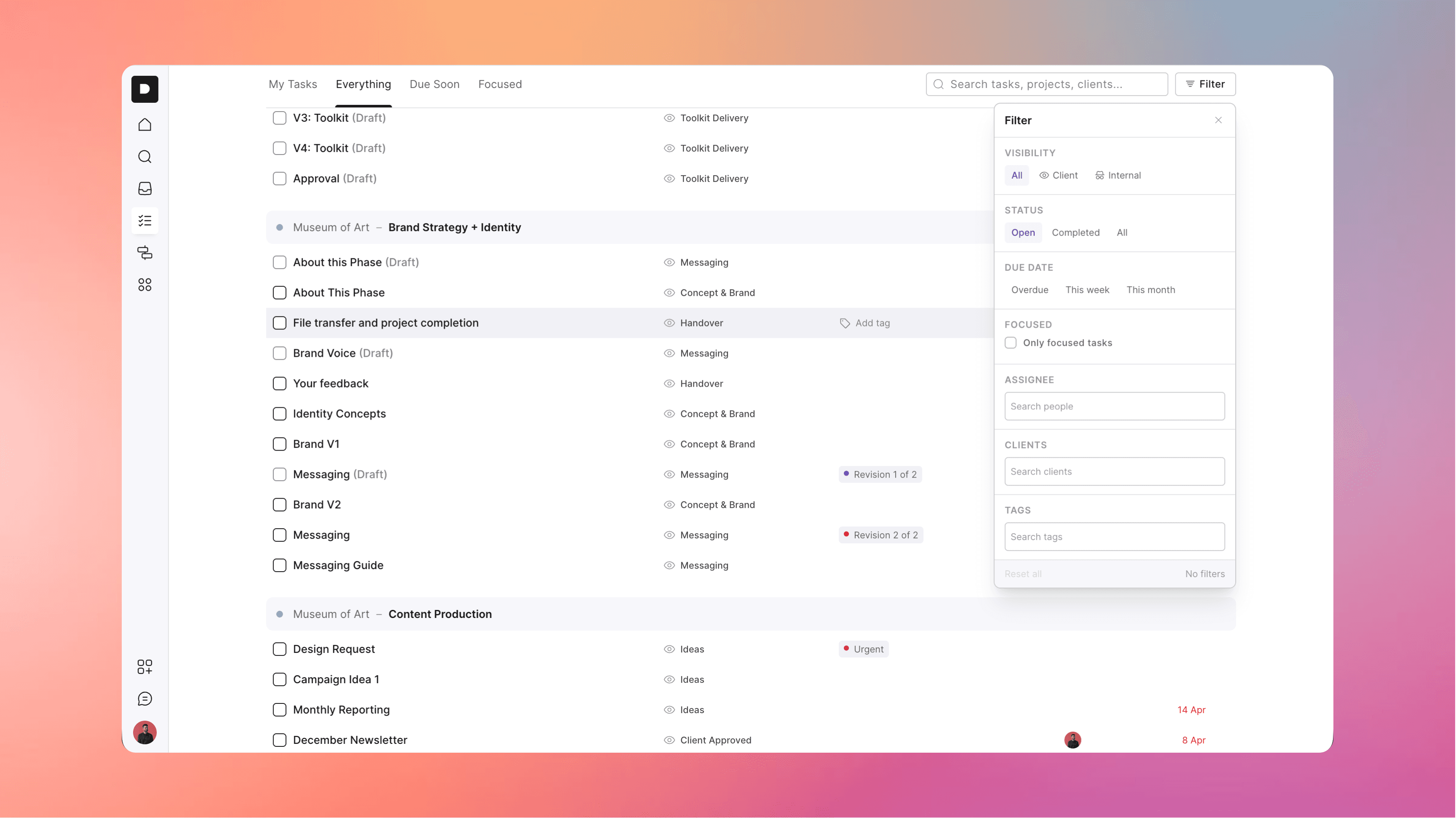
We’ve had a lot of requests for this one so we’re excited to give the people what they want… a single view where you can view all your projects and tasks in one place.
To faciliate this, we’ve replaced the “My tasks” section with a more useful “Tasks” area, which still includes a filtered view of your own tasks, but now also includes an “Everything” tab that shows every task across all active projects in your account.
We’ve also added some powerful filtering so you can slice and dice the data however you like.
This update should make it much easier to get a full birds eye view of everything that’s active, as well as a place to do some quick triage work if you want to check everything that’s overdue across the whole agency.
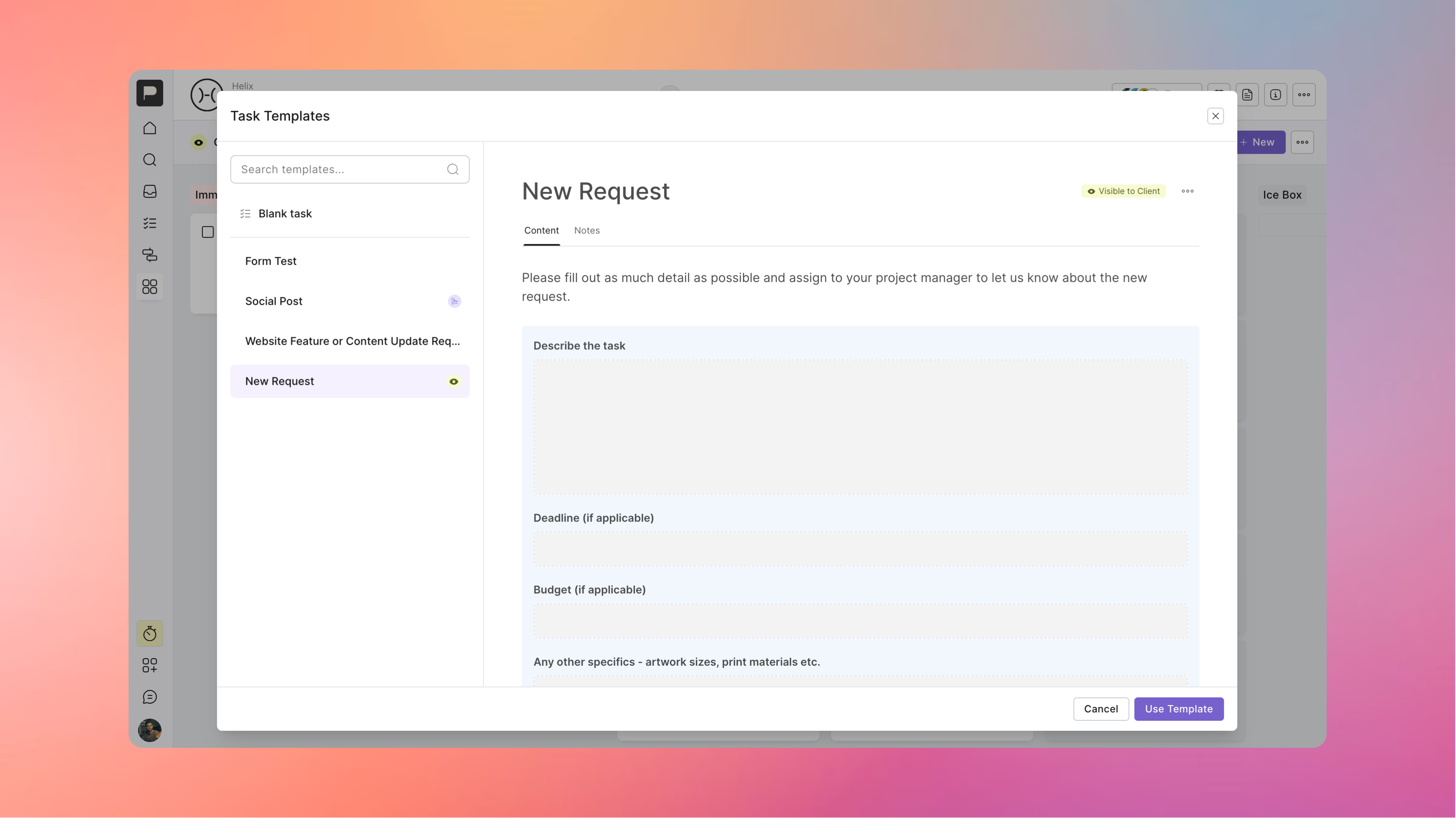
Clients have always been able to create tasks in board projects, and we made that process easier when we added Task Templates - but we knew we could still make new work requests even easier for clients, so we’ve improved the workflow in a few key ways:
We’ve added a prominent button on board projects for adding a New Task
The default flow is to show your task templates that are enabled for the client if you have them to encourage them to use these
When they create a task from a template it takes them directly into that card
For any task that has a form you can now submit the form without completing the task
With this all in place, we recommend setting up one or two task templates that include forms you’d want the client to fill out for any new work request, and encourage them to use them through this workflow.
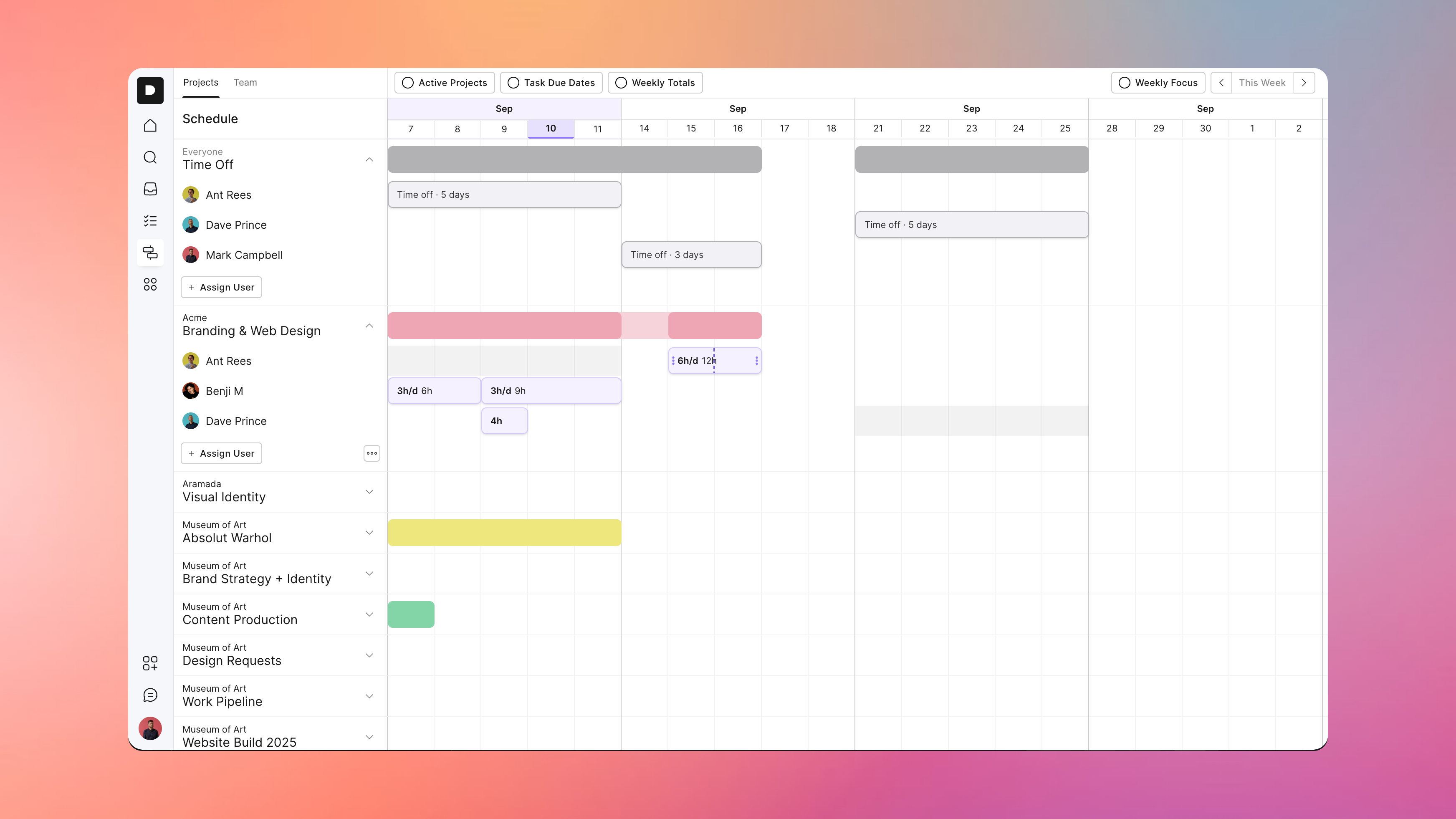
We’ve made a number of updates the schedule view to make it more useful when planning out projects and your team’s time:
You can now schedule in time off for the team so you know when they’ll be unavailable - this greys out their availability and also shows any time scheduled on days off as over capacity
Time bars on the schedule can be split so you can more easily make updates without having to recreate the same details if you need to adjust just some days of an existing assignment
There’s a new “Weekly Totals” toggle so you can see at a glance how much time a project is being allocated each week, as well as see your team member’s capacity for the week at a glance
You can now shift dates in bulk, so if a project is delayed by a week across the board you can move everyone’s assignments and any other dates in the future with one action
You can now add any team member directly to a project from the schedule view, so you no longer need to jump over to the project and add them before you can start scheduling in their time
Some other recent releases that should also help make things run smoother:
We added both Google and Microsoft accounts as options for signing up / signing in… and if you already use the same account as one of these it should just connect you directly to your account when you use those options
We’ve redesigned project messages to make them feel more like a running conversation, so all your chats with clients have an organised home but still keep everyone in the loop
Added Client documents so you can now store documents at the client level, not just projects… which is great for things like agreed strategy docs, overall planning, how-to guides for their website etc that you want to live on after a project is wrapped up
We added project codes so you can track your work easily in other systems
You can now share voice notes inside of a step, comment, message, or chat
We made the file attachment button more visible to clients so it’s easier for them to learn how to share files with you
Other bug fixes and performance improvements as always
Phew… that was a big one.
We’ve also started the work to add native time tracking within the platform, so keep an eye out for that.
Hopefully you get a lot of use and value from these updates, and as always we’d love to hear any feedback.