Changelogs
Stay up to date with the latest changes and enhancements.
Stay up to date with the latest changes and enhancements.

25. Feb 2026
Share
We’ve been busy to start the year working on some major new features as well as the usual small improvements to help make Outlign better all the time.
The focus for this update is one major feature - enabling internal chat with your agency teammates right inside Outlign! As with all our major features, we’ve put a lot of thought into what to include but also what to leave out to help keep you focused on the wonderful creative work you’re actually here to do!
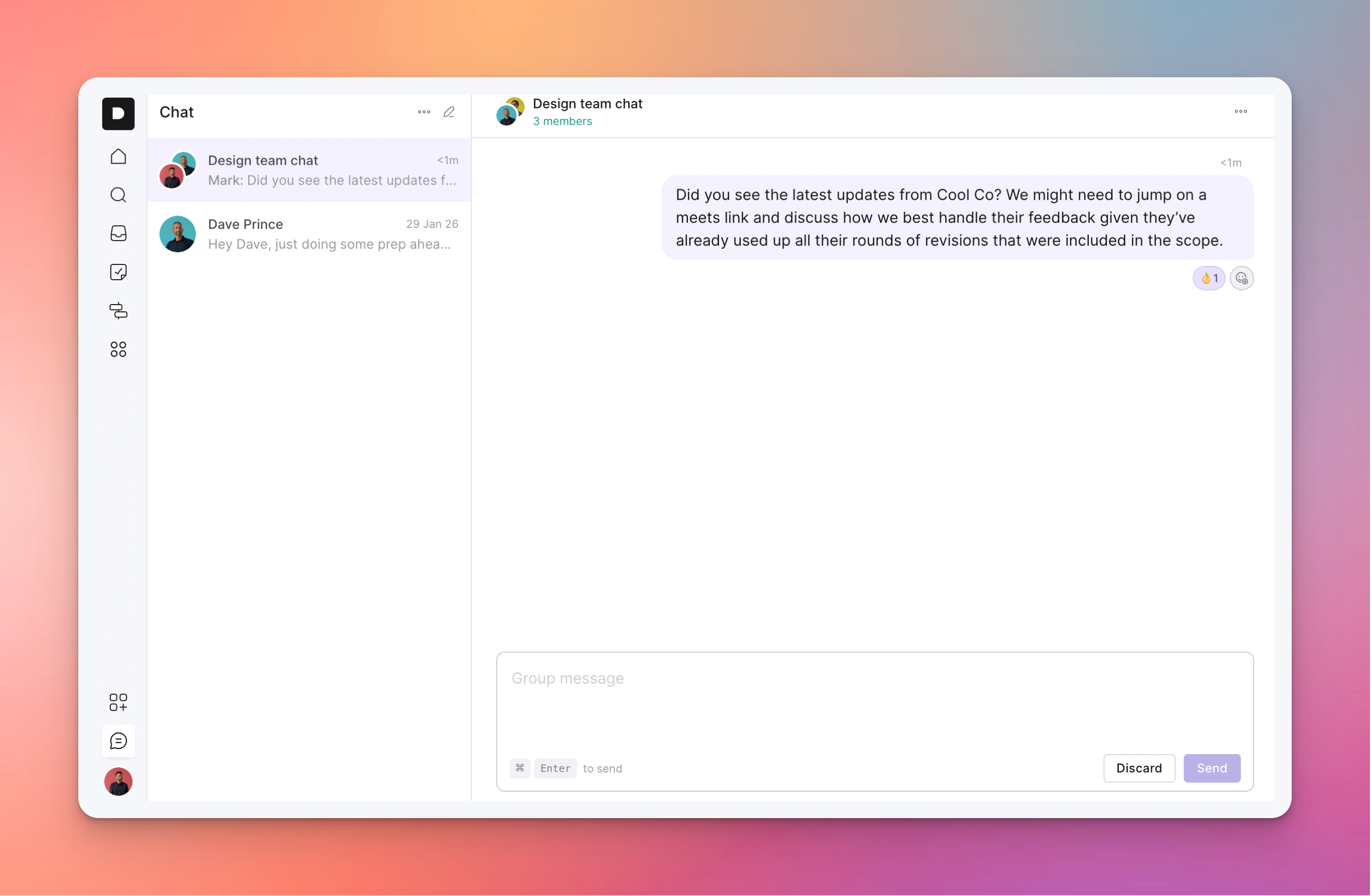
The chat feature works like many other work chat apps, with a few key differences:
No “online” status
No “Dave is typing…” indicator
No over-the-top notifications when you receive a new message
No client access
Why leave these things out you say?
It’s all part of our ethos to help you stay focused on the work that matters.
In our opinion (and experience!), most work chat tools create pressure to be online all the time, respond immediately to every message, and make yourself available to everyone.
So while we find it useful to be able to ping a direct message to someone on the team for a quick chat, we want to do it in a way that allows everyone to reply on their timeline without creating a whole lot of noise.
You can create one-on-one chats or different group chats with your other team members, so there’s plenty there to keep the internal communication flowing while not taking over your life.
For discussions with clients we recommend keeping this to the Messages section within each project to keep a bit of separation and focus to your client comms.
Since our last update we’ve also pushed a few little improvements:
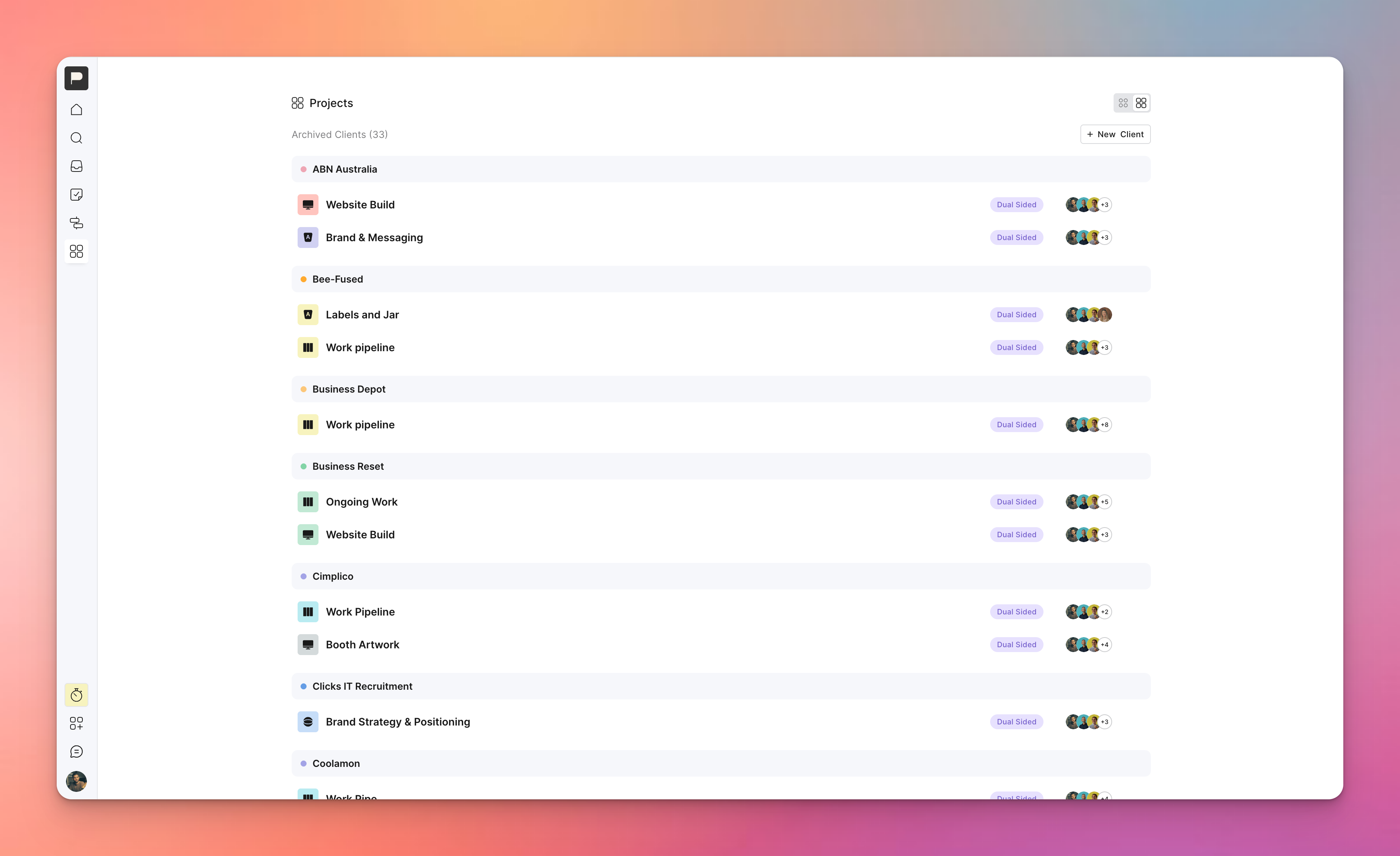
Added a view switcher in the Clients list so you can view all projects at once so you don’t have to click into each Client to see a list of projects you belong to. You can still click the client link to access all their projects.
Other bug fixes and small improvements to help keep the creative work flowing
As always if there’s anything you’d love to see in Outlign feel free to reach out - we’re always up for a chat about making your creative projects run smoother.