Changelogs
Stay up to date with the latest changes and enhancements.
Stay up to date with the latest changes and enhancements.
19. Nov 2025
Share
We’ve just pushed some fresh updates that we think you’ll love.
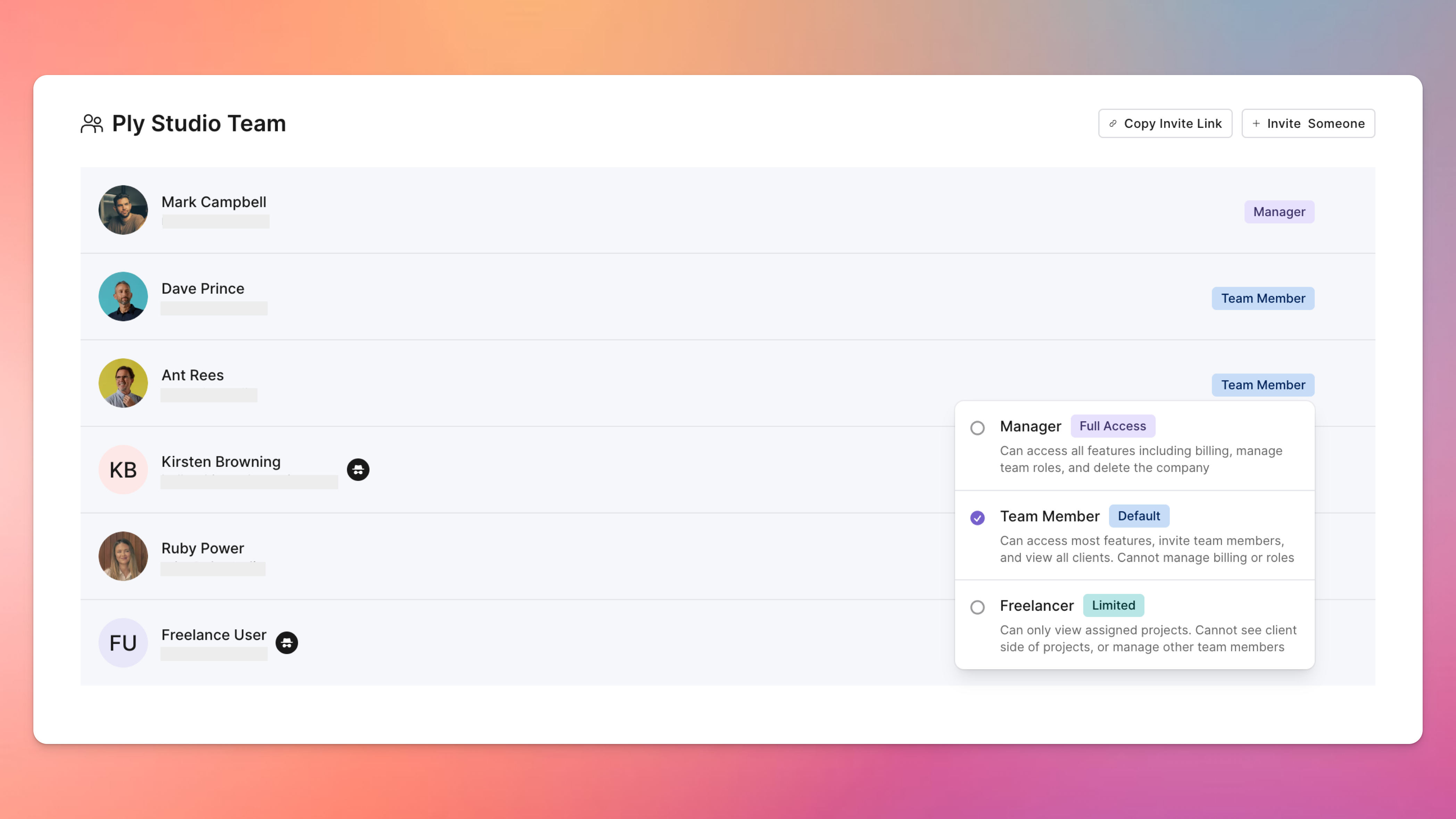
We’ve added the ability to set different role types for the users in your agency team:
Manager - has access to everything
Team member - has access to most things, but can’t see billing info or manage the roles of other agency team members
Freelancer - has limited access to the agency side of projects, and can only see clients and projects they’re assigned to
This should be a great help to a number of agencies we’ve talked to who want to bring in freelancers they collaborate with to Outlign, but without giving them access to everything the other agency team members can see.
We’ve set this up so that the first user in each agency is set as the Manager by default, and then others are currently marked as Team Members, but if you’re the manager, you can easily edit these roles how you see fit.
Client users will remain the same as they currently are now, so no changes there!
For more info on roles, view the article on our help desk.
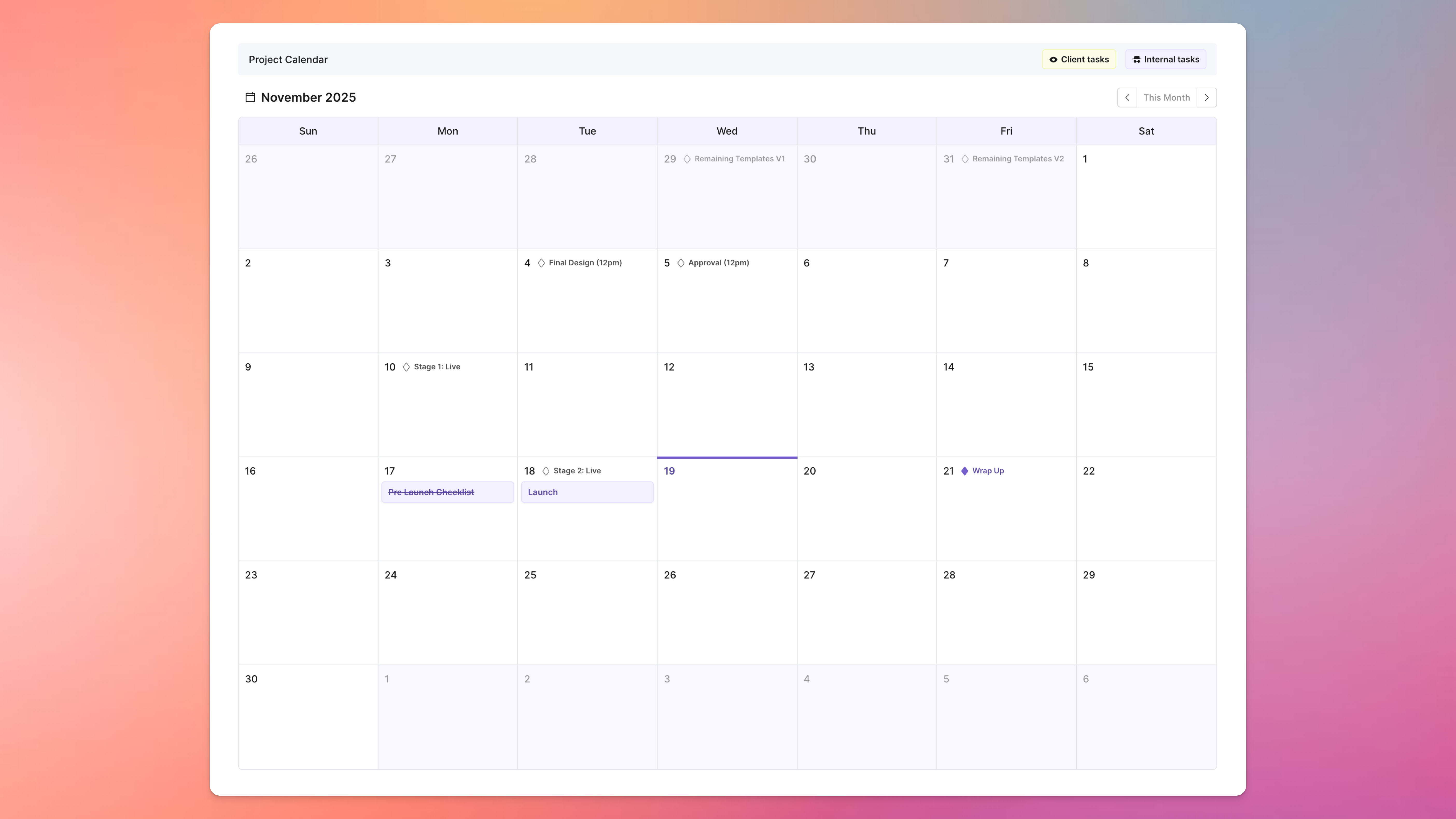
Each project now has a Calendar view where you can get a birds eye view of all Client & Internal Tasks that have due dates, Phase due dates, and Milestones.
You can also easily add new due dates, or drag to update existing ones.
The client can also view the calendar, but will only see Client Tasks with due dates, nothing internal.
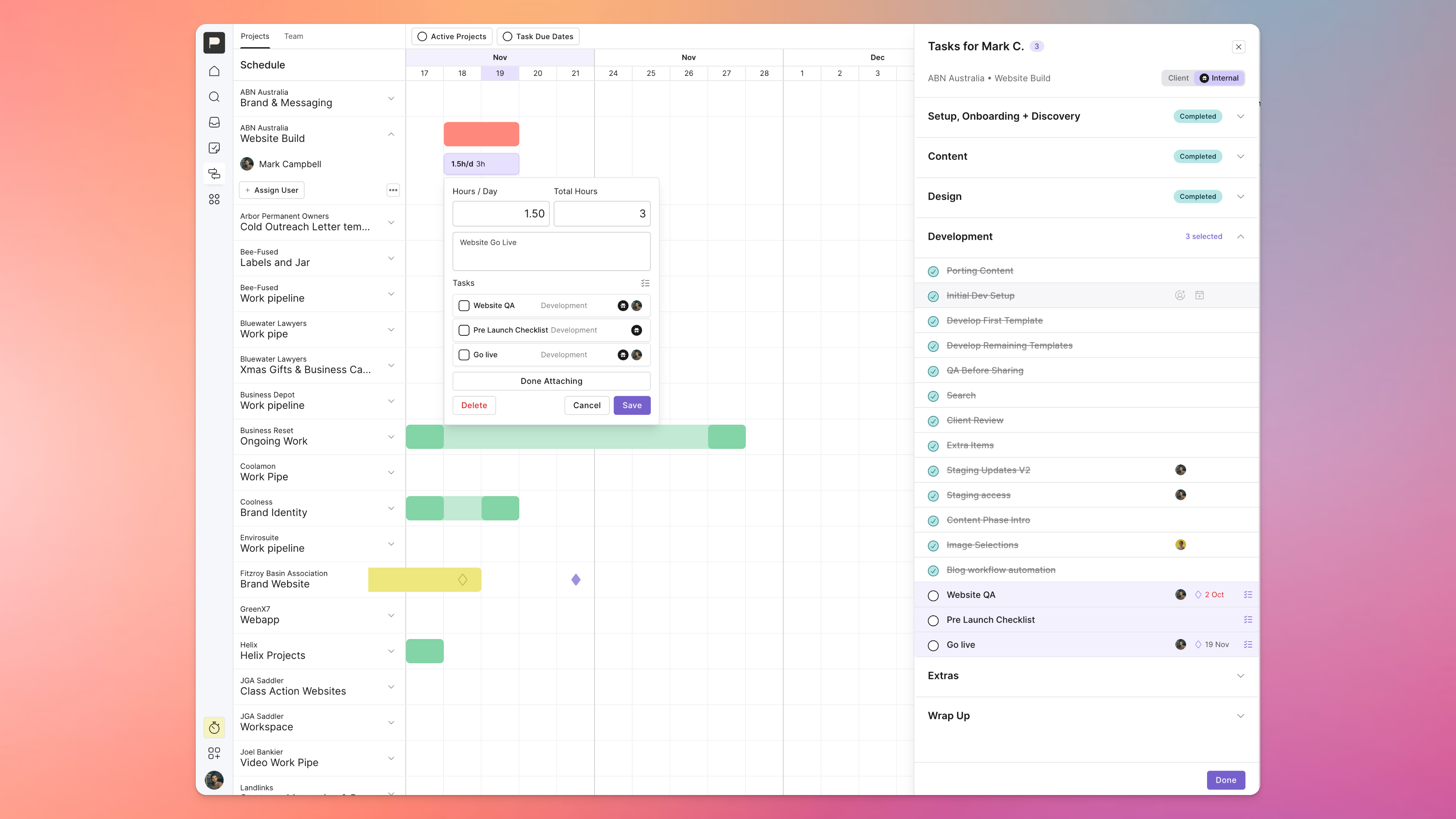
We realised it was a bit painful to attach tasks to a user assignment in the Schedule view when you’re planning out your projects and capacity, so we’ve completely updated the experience.
Now when you are attaching tasks to a time block on the schedule, you can see all the phases and tasks from the project in one streamlined view, to easily navigate to the ones you want to attach.
While you’re there you can also update due dates, assignees, and tick things off, making it easier to update things as you plan.
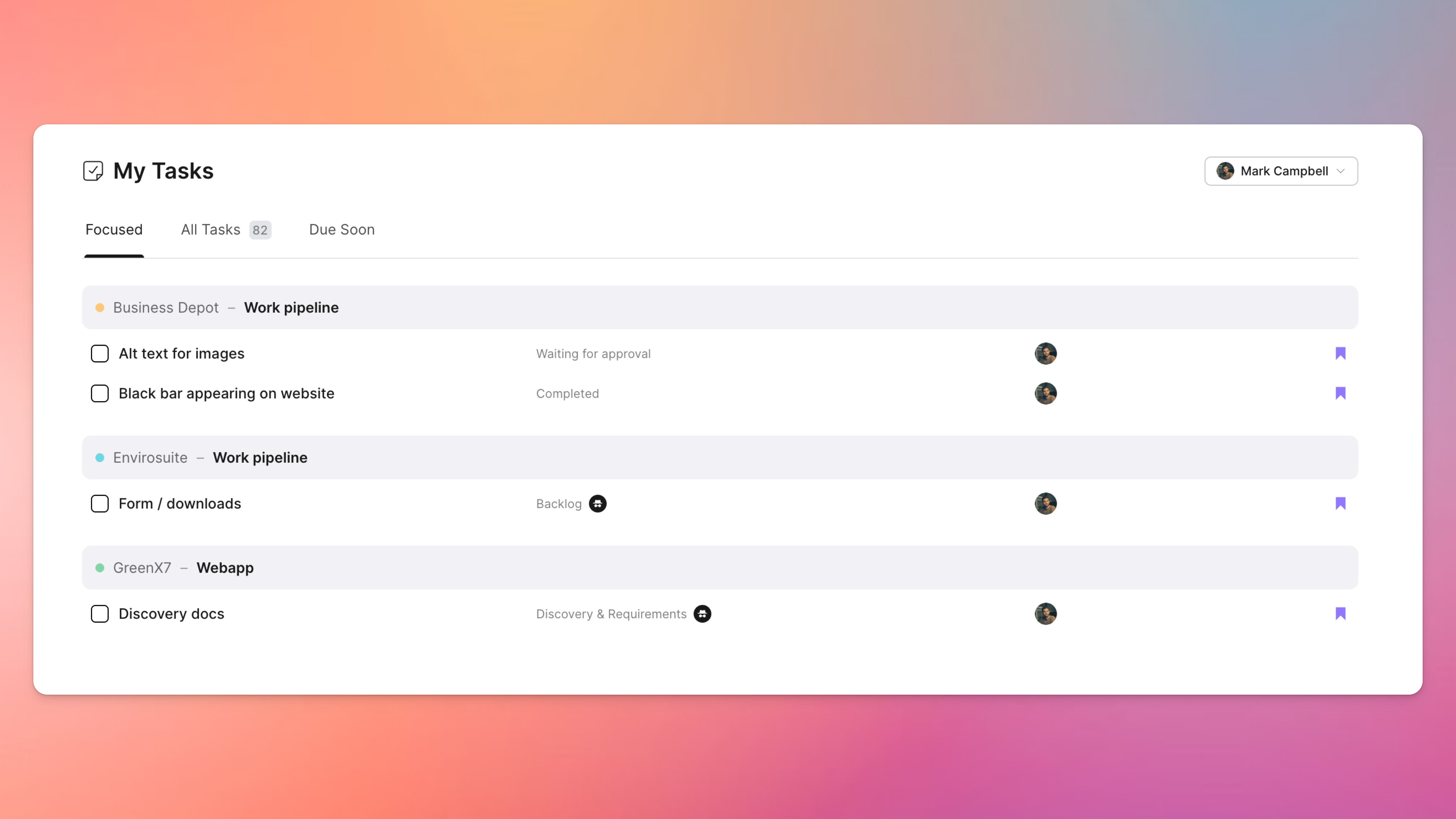
We’ve given the My Tasks view a design overhaul to make it easier to scan everything that’s assigned to you. You can now also easily update the assignments, due date and completed status from this view too.
And for Manager and Team Member users, we’ve added a highly requested feature where you can now toggle to see the task lists for other users on your team. So now you can get a sense of what everyone is working on, and better manage the team’s workload.
You can also drag and re-order the tabs, so if you prefer to see the Due Soon tab each time you hop into tasks, now you can make it your default.
We’ve got some more ideas in store to further improve this section that will be coming in the next couple of months so stay tuned!
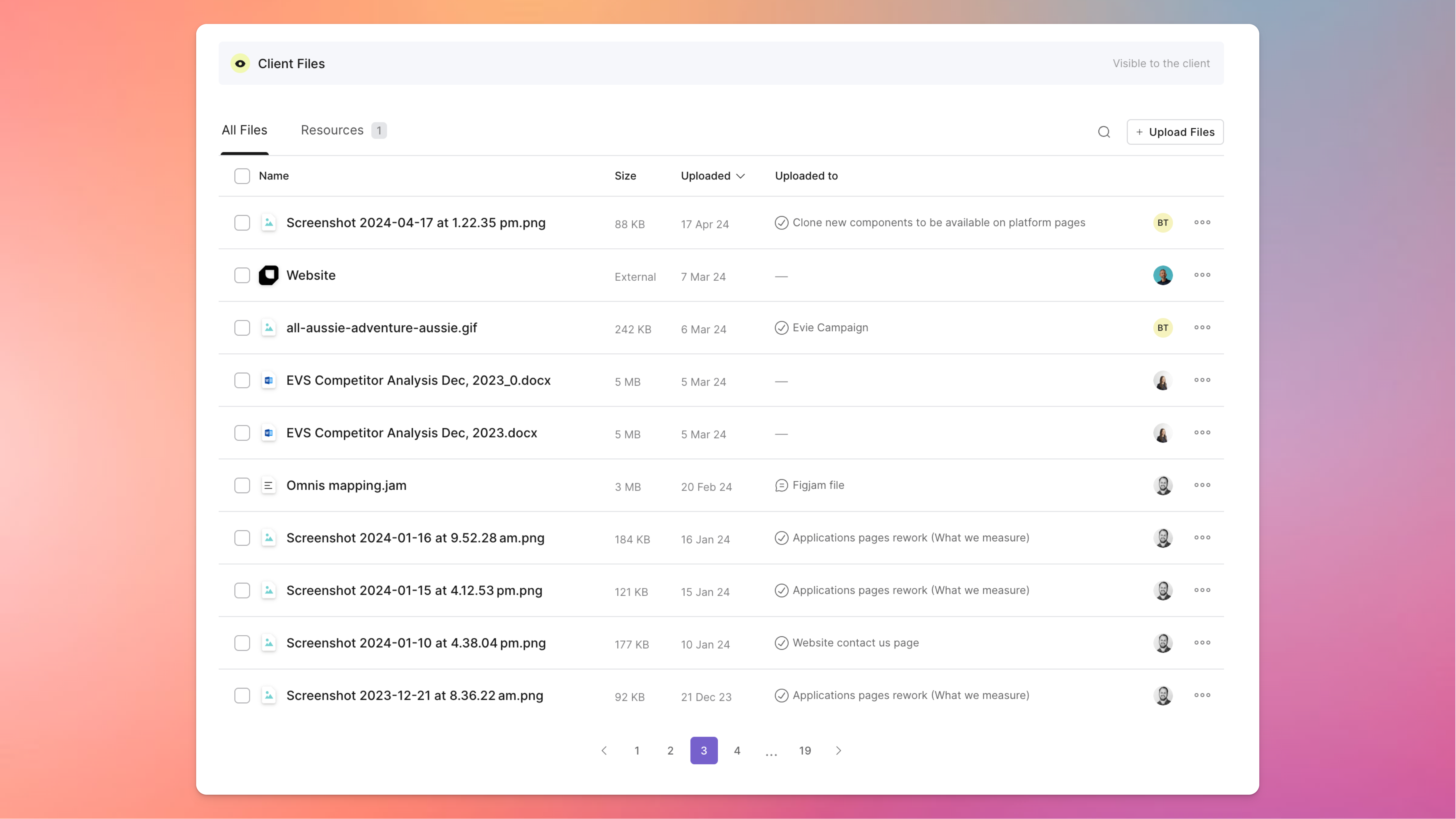
We’ve made a number of other improvements as well, including:
A refreshed design for the files section of each project, giving you greater visibility - including a link to where the file was added - as well as the ability to download or delete multiple files at once
The Project Info button now brings these details in via a sidebar rather than always taking you to a new page, so you can easily reference things like strategy docs, project goals, SOW agreements etc - all without losing the context of what you’re working on
A clearer user invite experience, with notes about the access level you’ll be giving different user types as you invite them into your teams and projects
A new and improved Help desk with more helpful articles and an easier navigation to make finding the answers to your questions much simpler
As always we’re super committed to continually improving Outlign to make it more useful for the creative teams who make up our thriving community, so with this lot of improvements released, we’ll get straight back to work on the next batch!
From us over here at Outlign …
Mark, Dave, Ruby & Ant.