Changelogs
Stay up to date with the latest changes and enhancements.
Stay up to date with the latest changes and enhancements.
30. Sep 2025
Share
We’re excited to share a number of updates that should help to make running creative projects even smoother.
We’ve had a few requests for this one, and we think it’ll make running consistent workflows that much easier… you can now turn any task into a Template, and then create new tasks from that template across any project.
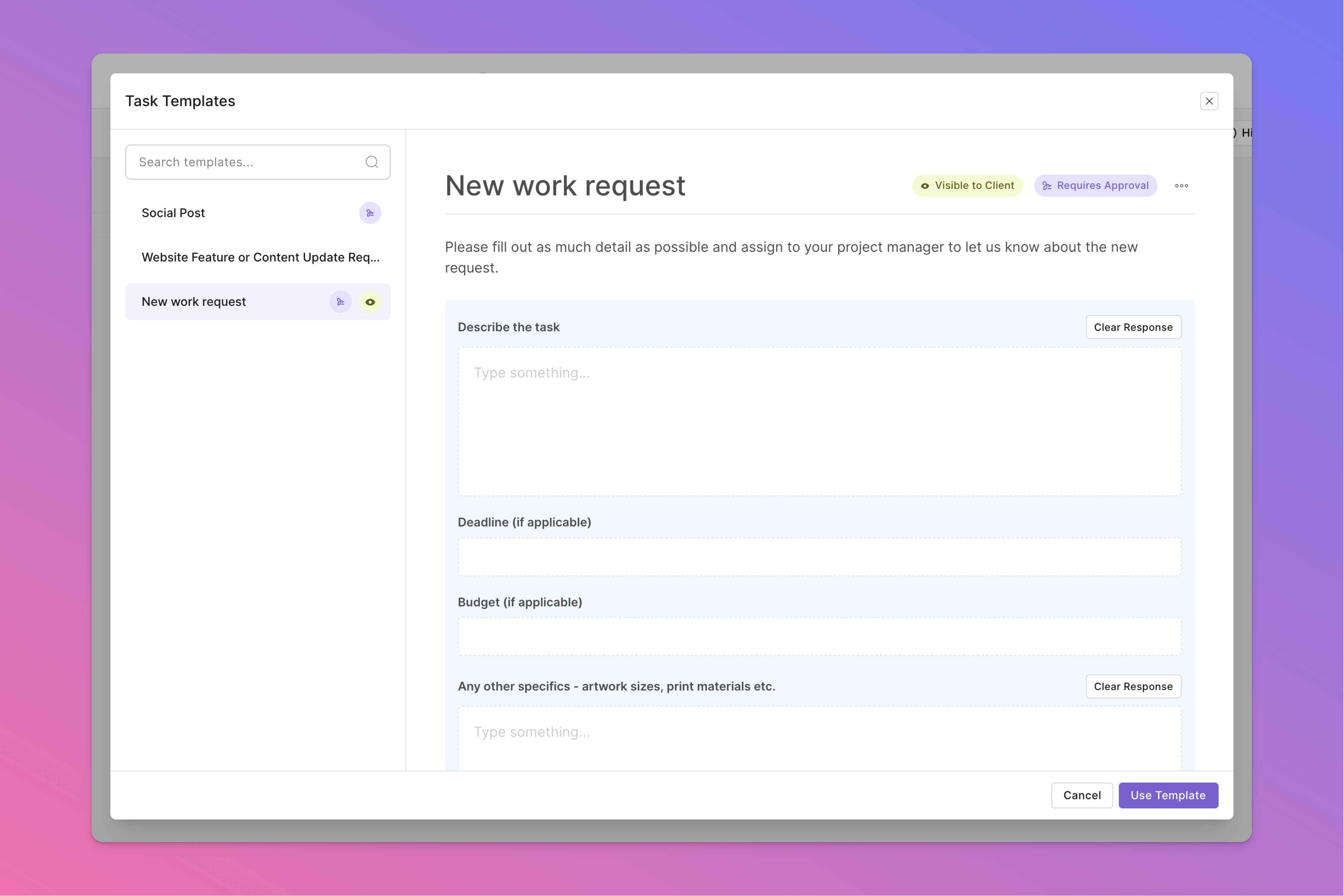
This is great for any individual task that you find yourself repeating over and over, and want a consistent starting point. You can even make them visible to your client, for board projects where the client often creates tasks and you want them to use the same format.
Some examples we’ve been seeing already include:
A standardised set of form fields for a New work request from a client
A Social Post template that contains sections for all the details you need to create a new post
A standard Project Overview task that gives the client a rundown of what’s included or excluded within any given project
To turn a task into a template, just view any existing task and look for the new option in the 3-dot dropdown menu on the right.
Sometimes an emoji can express a thousand words, or at least one reaction anyway… So we’ve added the ability to react to comments.
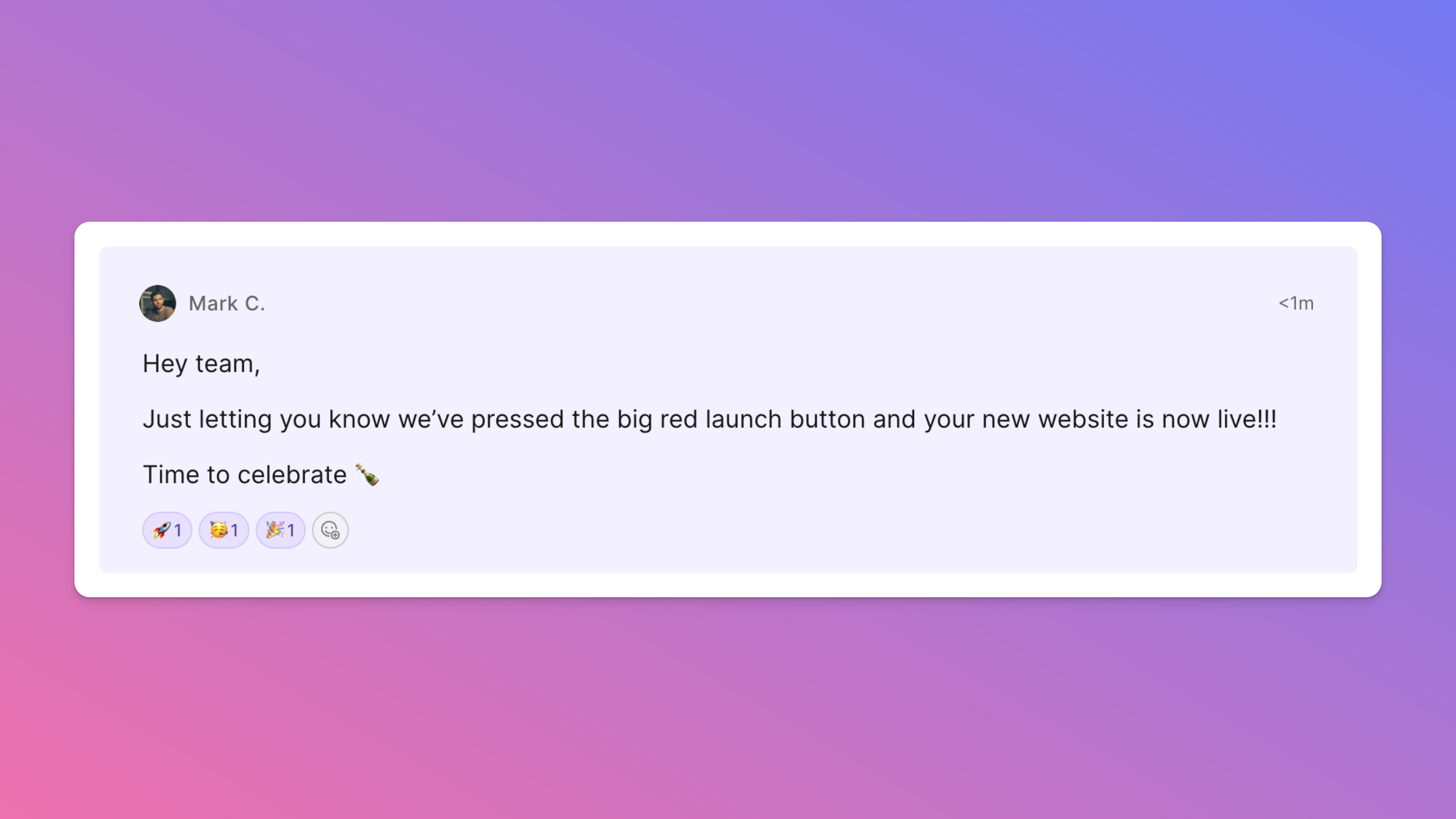
This one is great when you want to celebrate the wins, or simply let someone know you’ve seen their comment without having to post a whole comment.
Just hover over any comment and you’ll see the button for adding your reaction.
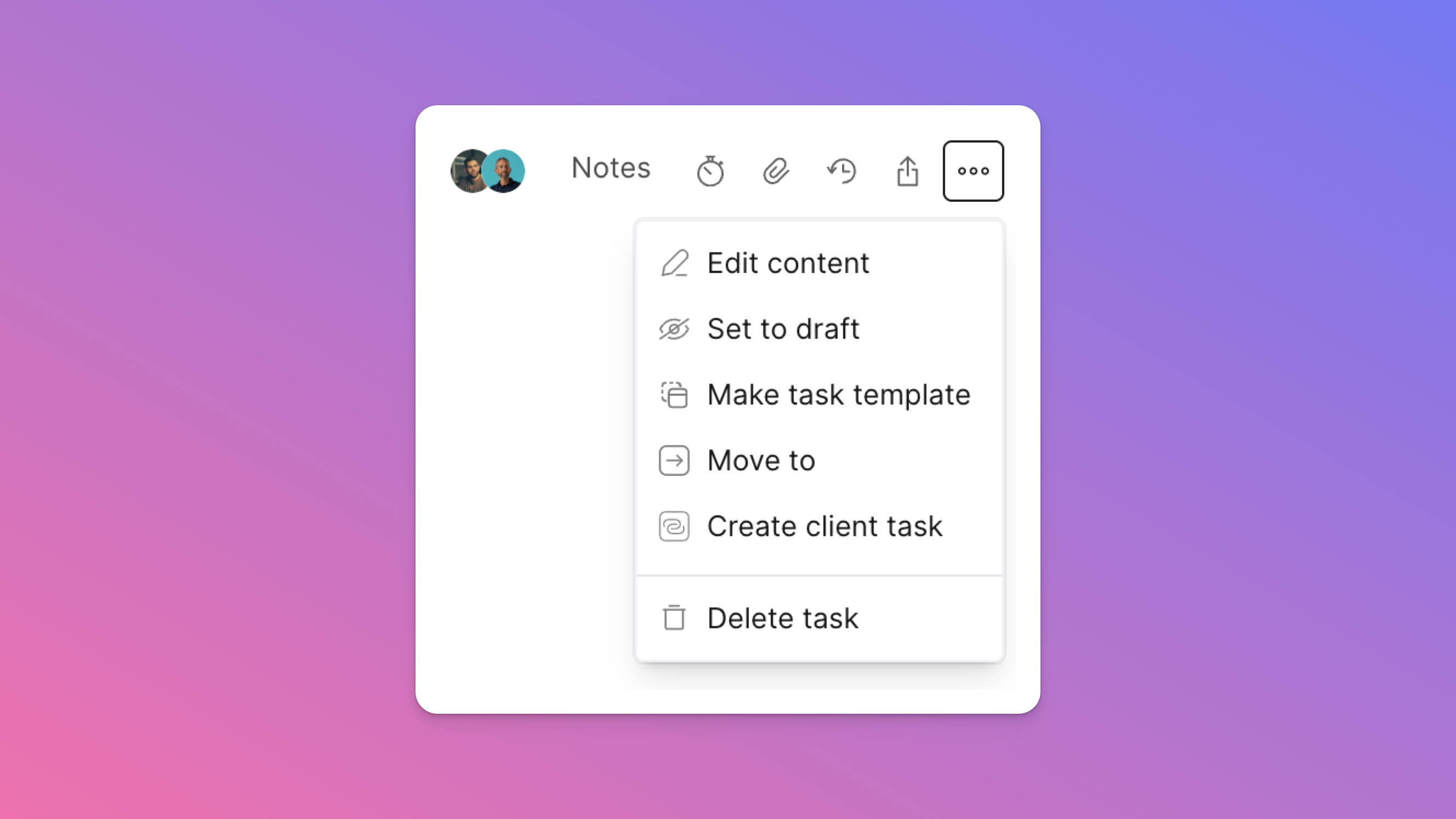
One thing we’ve found happen a lot is a task will get created on one side of the project - either the internal or the client side - and you then need to create a matching task on the other side… which can be a bit of a manual pain.
Now we’ve made it so you can easily create an internal task from a client task, and vice versa - and once you do, the two tasks will be linked together so you can easily jump back and forth between the two. Sometimes it’s the little things…
Speaking of little things, we’ve made a number of other small updates based on requests and things we’ve noticed that we hope will make things just that bit easier - getting you back to the creative work quicker.
Some highlights include:
A new Callout block in the content editor when you really need to draw attention to what you’re trying to emphasise
Setting email notification preferences so instead of receiving each one immediately, you can get an hourly or daily digest, or turn them off altogether
The ability to turn an existing project into a template - so you don’t have to start from scratch when templating your ideal process
The ability to move a task to any other phase or side of a project - allowing you to groom tasks internally before moving them to the client side, or just quickly move a task to “Done” from within the task view
Automatically collapsing long comment threads so it’s easier to get to the latest updates and continue the conversation
Being able to search for tasks on a board project
Keeping any filters you’ve applied to a board even as you leave and come back, so if you never want to see completed tasks you don’t have to
Plus a few more…
We hope you enjoy these updates and as always keep the feedback coming.
We’re really stoked to have a thriving community of creatives and seeing all the different ways you’re using Outlign to streamline your workflow, so a big thanks for your support.